
Skip to product information


LUTCinema LooksNo. 07
Odyssey 65 LUT
Look study · 2.39 : 1Dense midtones · pale earth · steel-blue water
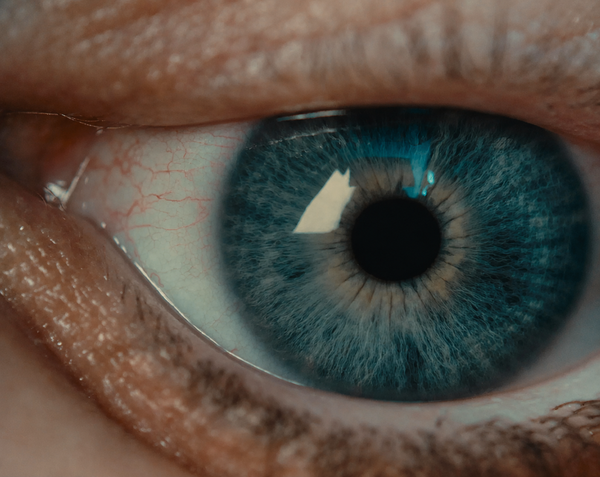
Large-format film colour inspired by The Odyssey: dense midtones, pale earth, steel-blue water and warm skin. For Sony, ARRI, Canon, RED, DJI and Blackmagic log.
€19,99
Taxes included.
Buy 2 looks, save 15%. Buy 3 or more, save 25%. Applied automatically at checkout.
- Format
- .cube
- Works with
- Resolve · Premiere Pro · Final Cut Pro
- Delivery
- Instant download
Made by Thijs Kern, senior colorist. Graded for Nike, McDonald's, Mastercard and others.
Digital product, downloaded right after checkout. If something does not work, help is one message away.
Overview
Large-format film colour with dense tonality, steel-blue environments and restrained warmth.
An original digital film stock inspired by the large-format film language of Christopher Nolan’s The Odyssey. Dense midtones, pale earth and stone, steel-blue water and sky, and warm skin held apart from it all. Built on a Cineon film-emulation foundation, then designed as a finished look for your own log footage.
What you will notice
- Denser, more substantial midtones.
- Controlled highlights in hard daylight and reflective environments.
- Pale sand, stone and earth without a heavy sepia wash.
- Steel-blue separation in water, skies and cooler shadows.
- Warm skin, firelight and bronze held apart from the surrounding palette.
- Restrained saturation with clear colour separation.
How to use it
- Choose the version for your camera. Sony S-Log3, ARRI LogC3 or LogC4, Canon Log 2, RED IPP2, DJI D-Log M (Osmo Pocket 3) or Blackmagic Gen 5.
- Balance first. Set exposure and white balance on the log footage.
- Apply Odyssey 65 as the look stage, then refine its strength and the final contrast for the scene with your software's LUT intensity or node opacity.
LUT or DCTL?
The LUT works in DaVinci Resolve, Premiere Pro, Final Cut Pro, CapCut Desktop and any software that reads .cube files. Grading in DaVinci Resolve Studio? The Odyssey 65 DCTL puts the input transform and the look in one node, with a Look Strength slider.
How it was developed
Odyssey 65 is built on custom Offwhitecolor film-stock profiles and a Cineon-based negative emulation, informed by photographed colour-chart references and published technical film data. Original colour decisions on top of that create the Odyssey 65 palette: bleached earth, cooler environments, protected skin and selective warmth.
It is an independently developed look inspired by the film's large-format colour language, not the film's own negative, laboratory or grading pipeline.
Read more: The Cinematography of The Odyssey: IMAX 65mm Explained →
Best suited for
- Narrative, historical and myth-inspired filmmaking.
- Coastal landscapes, beaches, mountains and stone architecture.
- Images combining warm skin with cooler water, skies or shadow.
- Travel, documentary, fashion and editorial work in daylight, overcast or firelight.
Specifications
What you get, and where it works.
Included
Compatibility
Next step
Build your cinema look set
Atomic 65 shares Odyssey 65's large-format film roots. Add any look and save 15% on both, applied automatically at checkout.
 This look
Odyssey 65 LUT
Sony S-Log3
Together
Or pair it with


Reviews
No reviews for this one yet. Across the store, 4.8 out of 5 from 21 verified reviews.
Every tool here is built the same way, by the same colorist. Read the reviews of Nostalgic Film
More from Offwhitecolor
ARRI LUTs


Brand, camera and film-stock names are trademarks of their owners, used only to describe what a tool models or accepts. Offwhitecolor is not affiliated with them.